
chifty Office
AI email assistant for businesses
Keep sight of what matters. A fresh perspective on your inbox.
A FEEL FOR chifty
Less imagining.
More exploring.
Explore chifty Office with interactive sample data.
Good morning, Julia.
A clear head. A clear inbox.
Hi Thomas, thank you for the inspiring conversation! I've attached the updated proposal with the changes we discussed. I'm looking forward to our next steps together.
What is chifty Office?
chifty Office is the email layer of the chifty platform: incoming emails are classified with AI labels, long threads are summarized, tasks, deadlines, and appointments are detected, and reviewable reply drafts are prepared from approved company knowledge. Nothing is sent automatically – your team reviews and sends.
Product demo
See in 90 seconds how chifty takes work off your inbox.
Watch chifty detect important emails, summarize content, surface next steps, and prepare fitting replies right inside your inbox.
Jump to the highlights
Overview
See instantly what needs your attention.
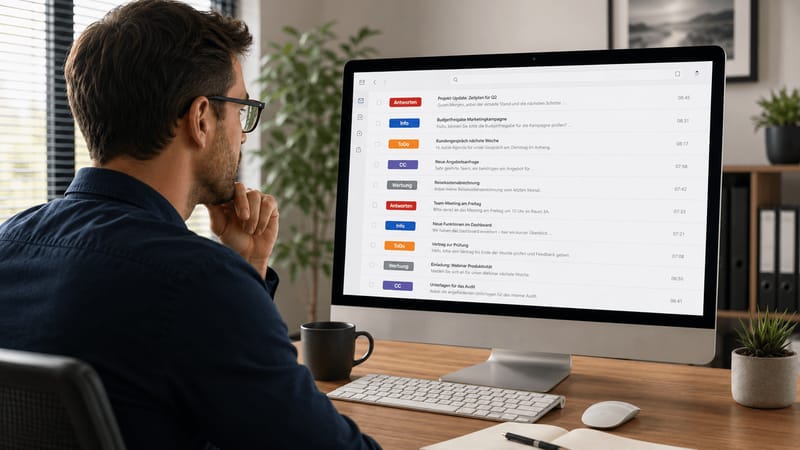
A full inbox shouldn't decide how your day starts. chifty detects important emails right as they arrive and sorts them clearly into replies, information, tasks, or less relevant content. Short summaries show you right away what it's about and what to do next.
- Spot important messages at a glance
- Grasp long emails faster
- Keep personal and shared inboxes managed separately
- Decide yourself what gets moved or stays in the inbox
Reply drafts
The right reply is already prepared.
Recurring emails cost valuable time every day. chifty drafts fitting replies or new messages for you – based on the existing thread, your writing style, and, if you want, your approved company knowledge. A few bullet points or a short voice note are enough. chifty turns them into a complete message that you adjust and send yourself. You write faster, without sounding impersonal or losing control.
- Prepare replies and new emails in moments
- Turn bullet points or voice notes into full text
- Use existing company knowledge for more precise replies
- Review and edit every draft yourself before sending

Next steps
Emails become clear tasks and meetings.
Deadlines, tasks, and contact details easily get lost between long messages. chifty detects this information automatically and turns it into concrete next steps. With one click you add it to your task list, your calendar, or your contacts in Google or Microsoft. Changes to meetings or tasks already discussed become visible too, so you follow up less and miss less.
- Detect tasks and deadlines directly in emails
- Add meetings to your own calendar
- Save contact details without typing them out
- Catch and update changes faster

Scheduling
Find a meeting time without the back-and-forth.
"How does next week look for you?" – that simple question often turns into a long email chain. With chifty you pick suitable time slots and share your availability via link. Your contacts choose a time that works, while chifty handles the calendar sync. The meeting is set faster, and everyone knows when it starts.
- Share free times easily with others
- Coordinate internal and external meetings more easily
- Avoid long back-and-forth by email
- Sync confirmed meetings with your calendar

Features in detail
Four core features of chifty Office, each with its own page: what it does, how it works with your company knowledge, and where its limits are.
Comparisons
Which email AI fits your workflow?
Compare chifty Office transparently with established alternatives, including features, pricing, data protection, and the editorial status date.
Frequently asked questions
Do I need a new mailbox?
Where does the content of reply drafts come from?
Does my team stay in control of the inbox?
Does chifty Office work for teams?
See chifty Office live
Turn your inbox back into a tool – not a time sink.
See in a personal demo how chifty Office takes work off your day and fits into your existing workflows.
More products